Say you run a regional retail chain that launched a web store to test demand outside your catchment. It worked well enough that buying, staffing, and margin decisions now depend on what happens online, but the store still runs like an experiment. Offers go out before stock is checked, shipping costs appear late, and every sales lift gets celebrated before returns arrive.
That’s the point where ecommerce for retailers stops being a channel project and becomes an operating problem. I would judge every choice that follows, platform, fulfillment, promotion, and measurement, by one test. Does it improve contribution profit after returns, fulfillment, and refunds, or does it only make gross sales look better?
What Ecommerce for Retailers Covers in 2026
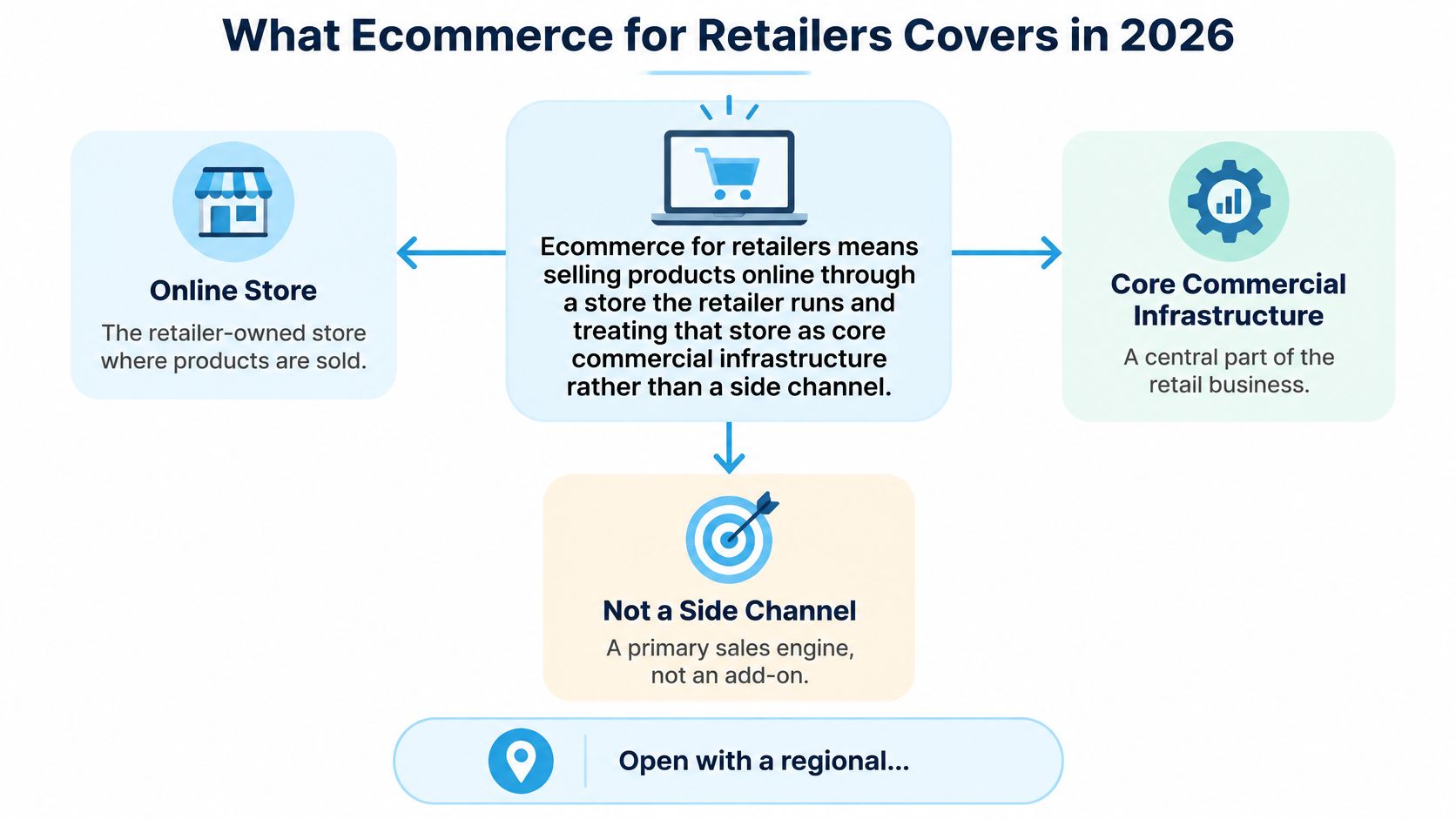
Ecommerce for retailers means selling products online through a store the retailer runs, and treating that store as core commercial infrastructure rather than a side channel. It shapes acquisition, merchandising, payments, fulfillment, data collection, and retention, not just transactions. When those pieces drift apart, the customer feels it first and the margin report confirms it later.
The scale leaves little room for treating it as optional. In 2024, businesses in 46 developed and developing economies representing approximately three-quarters of global GDP recorded nearly $28 trillion in ecommerce sales, according to UN Trade and Development data. In the United States, ecommerce represented 16.4% of total retail sales in the third quarter of 2025, according to the U.S. Census Bureau retail release. That’s roughly one dollar in six, persistent enough that small changes in conversion, basket size, or return rate move real money.
The Six Operating Areas You Actually Run
Most retailers are managing six connected areas whether they name them or not.
- Platform: The system that holds products, orders, discounts, and integrations.
- Storefront: The buying experience shoppers see, from search to product page to cart.
- Inventory and fulfillment: Stock accuracy, delivery promises, and returns handling.
- Marketing: Email, SMS, search, social, and content that bring people back or bring them in.
- Conversion: The offers, page design, and checkout steps that turn intent into an order.
- Measurement: The reporting that tells you whether growth kept its profit.
These areas fail together. An unclear shipping cost undermines the email campaign that earned the visit, because the shopper blames the offer, not the operations team. A stock sync error undermines the promotion built on that product, because you’re now paying to create demand you can’t ship.
Treat the online store as a margin system. Traffic is an input, not the result you’re buying.
Read platform and storefront choices first, then fulfillment, then how channels and conversion work once the operational promises are honest. That order matters. Persuasion placed on top of broken stock or surprise costs doesn’t fix the problem, it accelerates disappointment.
How to Choose an Ecommerce Platform
Start with criteria, not brand names. A demo will always look tidy with sample data, so score each option against your catalog, your team, and the work you’ll need done in two years.
Score These Five Things Before Any Demo
- Catalog complexity: Product count, variants, bundles, regional pricing, and how often prices change.
- Markets and storefronts: One store today, or multiple countries, currencies, and languages soon.
- Skills on staff: Who will fix a broken integration on a Friday afternoon, a merchant, an agency, or an engineer?
- Total cost: Plan fees plus apps, payment fees, hosting where it applies, and internal maintenance time.
- Checkout control: How much you’ll need to change checkout fields, shipping logic, and post-purchase offers.
Write the answers down before you talk to sales teams. If you can’t describe your returns flow, point of sale connection, and ERP needs on one page, you’re not ready to compare platforms. You’re ready to be sold to.
| Platform | Best fit | Customization | Team needed | Cost model |
|---|---|---|---|---|
| Shopify | Small to mid-size retailers that need to launch fast | Themes plus apps, custom code when needed | Non-technical team can run it | Monthly plan plus apps and payment fees |
| Shopify Plus | Scaling brands needing checkout control and automation | Checkout extensibility and advanced workflows | Dedicated operations lead or partner | Enterprise plan with custom pricing |
| WooCommerce | Retailers already on WordPress with developer support | Very high through plugins and code | Developer needed for hosting and upkeep | Free plugin plus hosting and extensions |
| BigCommerce | Mid-market catalogs with complex B2B and B2C needs | Strong native features and APIs | Some technical support | Tiered subscription |
| Adobe Commerce | Large catalogs and complex, multi-region operations | Very high, extensive customization | Dedicated engineering team | License plus hosting, typically high |
The pattern behind the rows is about team shape. A lean team without developers usually gets the most from Shopify, because routine merchandising, discount setup in Shopify, and app installation don’t need engineering time. A WordPress business with a developer on retainer may prefer WooCommerce, provided someone owns hosting, updates, and plugin conflicts. Enterprise catalogs with complex pricing, multiple regions, or heavy B2B rules tend toward Shopify Plus or Adobe Commerce, where the higher cost buys control they’ll use.
The Costs Comparison Pages Skip
Budget for the gaps. App subscriptions add up when reviews, subscriptions, advanced search, loyalty, and returns each arrive as a separate monthly line. Integration upkeep costs staff time even when the connector itself is cheap, especially when order, inventory, and customer data must stay in sync. Migration later is the largest hidden item, because product data, customer accounts, gift cards, and order history all have to move without breaking reporting.
I would run one practical test before booking demos. List your must-have integrations, typically ERP, point of sale, email and SMS, and your returns tool, then confirm native support or a maintained connector for each platform. Our guide to ecommerce software solutions and integration fit is useful for that checklist. If a must-have needs custom work on day one, price that work into year one, not as a future surprise.
Pick the platform your current team can operate well at your next stage of complexity, not the one with the longest feature list. Unused flexibility still charges rent in maintenance, training, and slower changes.
Storefront Models and When Each One Fits
The storefront model is a trade between launch speed, brand control, and running cost. A prettier storefront that your team can’t update for a seasonal range change is a liability. A plain storefront that launches fast and proves which categories sell can be the right commercial move.
| Model | Launch speed | Brand control | Ongoing cost | Best when |
|---|---|---|---|---|
| Standard theme store | Days to weeks | Moderate, within theme limits | Low | Testing demand with a proven catalog |
| Customized theme | Weeks | High on layout and brand | Moderate, designer or developer time | Brand experience sets you apart |
| Headless storefront | Months | Full control of the front end | High, ongoing engineering | Content-heavy experiences across channels |
| Marketplace listings | Days | Low, platform rules apply | Commission on each sale | Clearing stock or testing new categories |
| Store-connected omnichannel | Weeks to months | High when point-of-sale integration is strong | Integration and staffing | Stores already hold the inventory |
Say a regional home goods chain starts with a standard theme. It puts its proven sellers online, watches search terms, return reasons, and delivery complaints, and learns that lamps and storage sell while fragile decor creates expensive breakage returns. Once those categories show steady demand, it pays for a customized theme with better room-based navigation and clearer delivery information for bulky items. The sequence matters because the first storefront bought evidence, and the second one spent design money where evidence pointed.
Edge Cases That Change the Answer
If your physical stores hold inventory, choose a model that shows store stock online and supports pickup or ship from store cleanly. Without that, staff guess at availability, online orders get cancelled, and shoppers learn not to trust the product page. The integration work feels unglamorous, but it protects every campaign you run afterward.
A content-heavy brand can justify headless when editorial pages, buying guides, and product storytelling drive conversion and an in-house team can maintain the front end. Without that team, headless usually means slower fixes and higher agency bills for changes a theme would handle in an afternoon. Marketplaces sit at the other end. They’re useful for testing a category or clearing stock, but they set pricing and presentation rules and they keep much of the customer relationship, so repeat purchase economics stay weaker.
Ask one question before choosing. Which parts of the buying experience must differ from a template to change a customer’s decision, and which differences would only cost money? Fund the first group. Postpone the second, however attractive it looks in a design presentation.
Inventory and Fulfillment Without Checkout Surprises
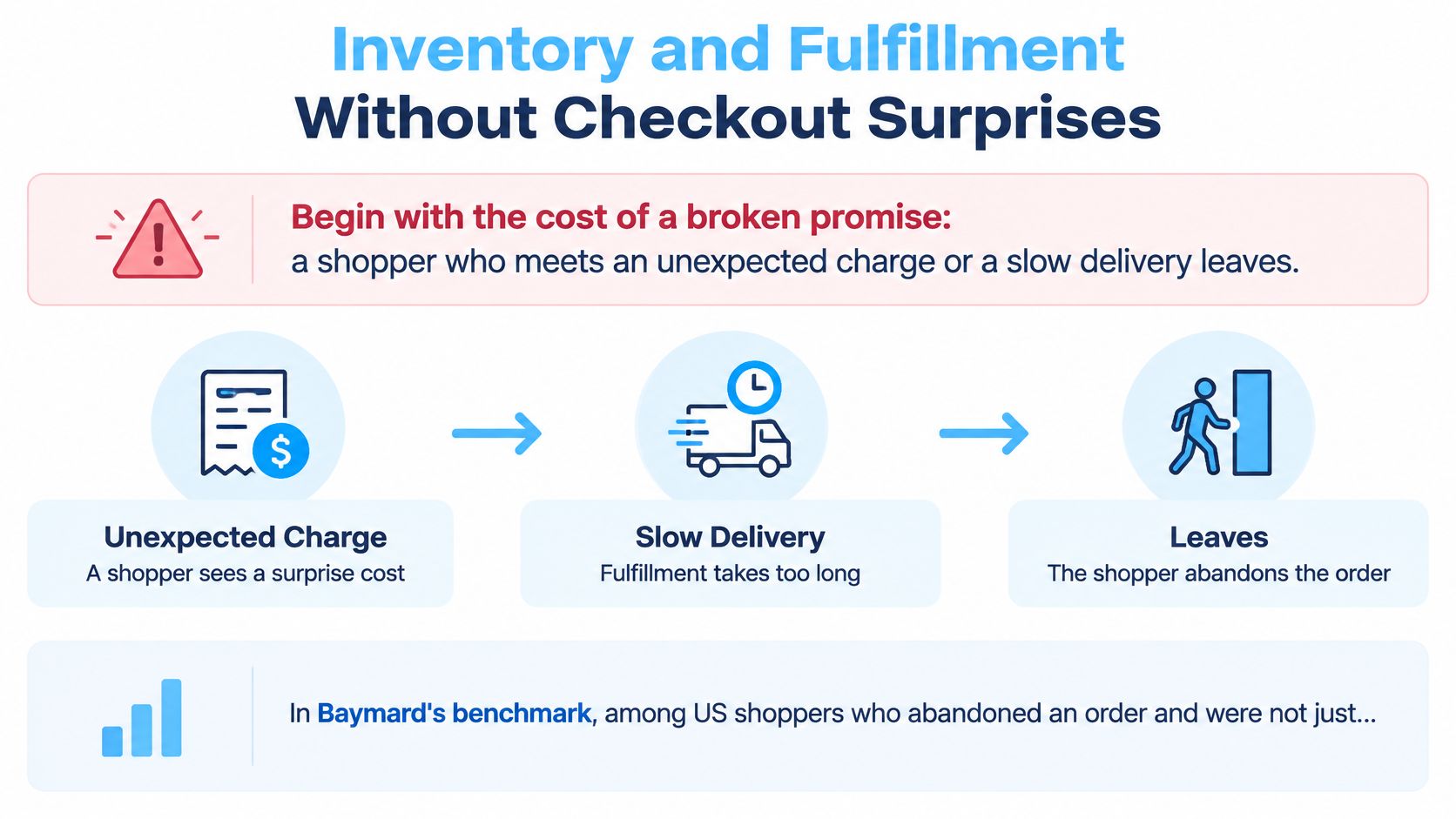
A broken delivery promise undoes good marketing at the exact moment intent is highest. Excluding shoppers who were merely browsing, 40% of U.S. online shoppers cited extra costs such as shipping, tax, or fees as a reason for abandonment, 20% cited delivery being too slow, and 12% said they could not see or calculate the total order cost upfront, according to Baymard’s cart abandonment benchmark. Total cost transparency is therefore an operational requirement, not a copywriting preference.
Set Up the Operation in This Order
- Connect one inventory count: Sync the online store, physical stores, and warehouse so stock updates in both directions after sales, returns, and transfers.
- Set safety stock by product: Use sales speed and supplier lead time for each item. A fast seller with a slow supplier needs a larger buffer than a slow seller you can reorder quickly.
- Choose fulfillment by category: Bulky, fragile, fast, and slow products rarely belong in the same model. Use the table below per category, not once for the whole business.
- Publish a promise you can keep: Base delivery windows on a normal week with staff absence and carrier delays, not your best week. Beating a cautious promise builds trust, missing an optimistic one creates support tickets.
- Show the full cost early: Put shipping thresholds, estimated tax, fees, and the delivery window in the cart and product flow before payment, with the same figures in email and SMS.
- Price returns into margin: Write the returns policy in plain language and count return shipping, inspection, and unsellable stock as costs of the order.
| Model | Who holds stock | Control over delivery speed | Margin effect | Best fit |
|---|---|---|---|---|
| In-house warehouse | Retailer | High | Lowest cost per order at steady volume, high fixed cost | Own space and predictable demand |
| Third-party logistics | Provider | Medium to high | Per-order and storage fees | Growing brands wanting faster delivery without a warehouse |
| Dropshipping | Supplier | Low | Thin margins, little stock risk | Testing new categories |
| Ship from store | Retail store | Medium | Uses existing stock, reduces markdown risk | Multichannel retailers with store inventory |
Compare carrier and fulfillment economics at order level, not by headline rate. Storage, pick and pack, packaging, minimum monthly fees, and return handling decide whether a low-priced order makes money. Retailers selling into Australia can compare Australian parcel pricing models to see how weight, zones, and service levels change the landed cost before setting a free shipping threshold. Our breakdown of ecommerce order fulfillment models and costs covers the operational trade-offs behind each row.
Watch two failure points closely. Promotions that outpace stock cause oversells, so pause or cap an offer when available stock falls below safety levels rather than letting ads and email run until the warehouse notices. A third-party logistics minimum fee can also make low volume orders unprofitable, even when the per-order rate looked attractive in the proposal.
Operating rule: Don’t announce a delivery or price promise in a campaign until the storefront, checkout, and warehouse all show the same number.
Marketing Channels That Work Together
Give each channel one job, then hold it to that job. Email and SMS reach people who already know the brand at a low cost per send, so they should carry replenishment, back in stock, and offers worth repeating. Paid search captures demand that already exists, which makes it efficient for clear product intent but poor at creating interest from nothing. Paid social creates demand and needs continuous creative testing, while organic social and content build familiarity that makes later offers credible.
On Shopify, the practical setup is an email and SMS platform such as Klaviyo connected to order and browse data. That connection lets abandoned cart, post-purchase, and back in stock flows respond to real behavior instead of a calendar. If you want content to compound rather than sit in a blog archive, it helps to build an SEO content marketing strategy around the questions shoppers ask before they compare products.
One Offer Needs One Set of Rules
Orchestration is where retailers lose credibility. A shopper sees one expiry in an email, a different threshold on the product page, and an SMS that arrives after stock ran out. Each message may be accurate in isolation, but together they teach the shopper that your rules are negotiable and your scarcity is theatrical.
Discovery is also moving beyond your own site. DHL’s 2025 ecommerce research found that 7 in 10 shoppers want AI-driven shopping tools, and Deloitte reported that 67% of retail executives expected AI-driven personalization capabilities within the following year, as summarized in the DHL E-Commerce Trends Report 2025. That makes consistent eligibility, inventory logic, and pricing even more important, because an AI assistant or search surface may present your offer without your surrounding context.
Apply three rules to keep channels aligned.
- Cap exposure: Decide how many times one shopper can see the same promotion across storefront, email, and SMS in a set window.
- Separate new from returning customers: Don’t train loyal buyers who would purchase anyway to wait for the welcome style incentive aimed at first orders.
- Test against ordinary discounts: Judge urgency or participation based offers on incremental lift and margin, not click-through rate.
Say you send a time-limited welcome reward by SMS to shoppers who browsed one category twice but didn’t buy. A control group receives only your standard email flow, with the same products and no reward. If the SMS group buys more but returns more and spends less per order, it hasn’t won. If it buys sooner at a smaller incentive and keeps contribution intact, you’ve found a repeatable high-intent moment.
Permanent countdowns and sitewide markdowns weaken this system. They make every day look urgent, so no day feels different, and the discounted price becomes the price shoppers expect.
Conversion Tactics That Protect Margin
A shopper with items in the cart has not decided yet. Baymard Institute’s longitudinal research puts the average cart-abandonment rate at 70.19%, and 42% of U.S. online shoppers abandoned a cart because they were “just browsing” or not ready to buy, according to Baymard’s checkout usability research. The margin question is what it costs you to convert that hesitation into an order.
An always-on discount answers that question badly. If 20% off will still be there next week, waiting costs the shopper nothing. The retailer still pays the full discount whenever the purchase happens, plus fulfillment and any return. Deeper markdowns rarely change timing. They lower contribution while activity looks busy.
Remove Checkout Friction Before Adding Incentives
Do not pay to push shoppers into a checkout they will abandon. Baymard found that 17% of U.S. online shoppers abandoned an order because checkout was too long or complicated, while the average U.S. checkout displayed 23.48 form elements by default against roughly 12 in an effective design, according to Baymard’s checkout usability benchmark. Remove optional fields, defer nonessential questions until after purchase, use address autocomplete, validate errors inline, and keep guest checkout visible.
Forced registration creates the same loss. Baymard reports that 18% of U.S. online shoppers abandoned an order because the site required account creation, according to Baymard’s cart and checkout research collection. Make reward participation and email or SMS signup optional, explain why you ask, and never block payment behind data collection. Every field you delete protects margin because it converts orders you already earned traffic for.
Use Behavioral Principles Honestly
Once friction is down, give high-intent shoppers a reason to decide now without cutting price for everyone.
Four principles explain why controlled offers beat permanent ones.
- Scarcity bias: People pay more attention to a reward that is limited in quantity, provided the limit is real and visible.
- Loss aversion: A reward already within reach feels more painful to lose at expiry than an abstract future saving feels attractive.
- Commitment and consistency: A small voluntary action, such as claiming or reserving a reward, makes completing the purchase feel like following through.
- Temporal discounting: People value a near-term benefit more than a larger vague benefit later, so a clear deadline concentrates the decision.
These principles work when the product fits, the price is already credible, and the limit reflects genuine campaign or stock constraints. Manufactured pressure that resets every visit teaches shoppers to ignore you and wait for the markdown.
Quikly builds time and quantity bound offers for those high-intent moments for Shopify retailers, styled as part of the store’s own design so exposure stays controlled instead of discounting every visitor. Shopify merchants experience revenue increases of upwards of 30% with Quikly’s urgency marketing platform, refined across more than 60 million consumer interactions. The relevant measure is profit, not redemption count. Judge the test on contribution after product cost, fees, shipping, and refunds.
KPIs That Show a Promotion Made Money
Returns expose promotions that looked clever on launch day. Online sales had an estimated 19.3% return rate in 2025, compared with 15.8% across retail overall, and free returns influence purchase decisions for 82% of consumers, according to Shopify’s ecommerce returns analysis. A campaign can lift orders while lowering profit if it attracts return-prone buyers, encourages bracketing, or pulls forward purchases that would have happened at full margin anyway.
Put contribution margin per order at the top of the dashboard. Conversion rate and average order value still matter, but they’re supporting signals. They tell you behavior changed, not whether the change paid.
| Metric | What it tells you | Healthy direction | Common trap |
|---|---|---|---|
| Conversion rate | Share of sessions that buy | Rising against a holdout baseline | Gains bought with deep discounts |
| Average order value | Basket size per order | Rising without deeper discounts | Bundles that raise returns |
| Contribution margin per order | Profit after product cost, fulfillment, fees and refunds | Positive and steady | Left out of most dashboards |
| Online return rate | Share of orders refunded or exchanged | Stable or falling | Promotions that attract return-prone buyers |
| Repeat purchase rate | Share of buyers who return within a set window | Rising | Offers that pull purchases forward |
| Email and SMS opt-in rate | Owned audience growth | Rising with clear consent | Forced signup at checkout |
| Customer acquisition cost | Cost of each new buyer | Below first-order contribution plus expected repeat value | Ignoring repeat value |
Measure Incrementality, Not Activity
Run promotions against a holdout group that doesn’t see the offer. Compare incremental orders, net revenue after refunds, fulfillment cost, and repeat behavior between the exposed and holdout groups over the same window. Without that comparison, seasonality, email timing, and paid media changes will happily take credit for your discount.
Set limits before launch by margin, inventory age, customer segment, return risk, and expected repeat value. Aged stock can carry a stronger incentive because the alternative is a deeper markdown later. A high-return category in a first order segment needs a tighter cap, even if its click rate looks exciting. Then compare a smaller behavior-based incentive with a larger blanket discount on incremental contribution margin. The smaller offer often wins once refunds and operating costs enter the calculation.
Report conversion rate, average order value, customer acquisition cost, and contribution margin in one view. Judge acquisition cost against first-order contribution plus expected repeat value, not gross first order revenue. That single reporting habit prevents many expensive arguments between marketing and finance, because both teams finally look at the same outcome.
Pick One Fix and Test It Against a Holdout
Buying more traffic into a leaky funnel is the fastest way to scale losses. Fix the known breaks first, especially unclear total costs, excess checkout fields, forced account creation, and stock that doesn’t match the offer. Those fixes keep paying after any single campaign ends.
Then choose one channel and one offer. Pick the judging metric from the KPI table before launch, set a fixed test window, and hold back a comparable group that doesn’t see the change. Our guide to incrementality testing for promotions lays out the holdout mechanics. Don’t change creative, audience, and discount depth halfway through and still call it a test.
Scale only when contribution margin per order stays positive after returns and fulfillment. If conversion rises but contribution falls, you’ve bought orders. If opt-ins rise through forced signup and checkout completion drops, you’ve traded buyers for contacts. Neither result deserves more budget.
Keep permanent discounts narrow and earned, such as loyalty benefits that support repeat purchasing. Use time- or quantity-bound rewards at high-intent moments, when a shopper has browsed, returned, or built a cart and needs a reason to decide now. That separation protects brand value because the regular price remains believable.
Entering a store URL generates a free urgency campaign customized to the store and its goals, and it also produces a free analysis of how stores in the same category run promotions in about 60 seconds. Use that as a starting draft if it helps, then judge it with the same holdout discipline as any other offer. Pick one fix this month, record its effect on contribution margin, and let profit decide what happens next.
If your promotions lift orders but leave less profit after returns and fulfillment, Quikly can help you replace blanket discounting with time- and quantity-bound offers built for high-intent moments on your Shopify store. Enter your store URL to generate a custom campaign and a category analysis, then test it against a holdout and judge the result on contribution margin.
Topics: ecommerce for retailers, retail ecommerce, Shopify for retailers, ecommerce fulfillment, retail KPIs