A Shopify promotion can look healthy in the dashboard and still be expensive: texts get clicks, discounts deepen, and customers learn to wait for the next sale. The hard part of SMS and mobile marketing isn’t finding another way to reach a phone. It’s choosing the channel and moment that earn attention without spending margin or trust unnecessarily.
The practical approach is to match each message to the shopper’s intent, device, consent, and next action. That means coordinating SMS, push, RCS, email, and in-app messages as one journey, then measuring incremental profit rather than attention alone.
How SMS, MMS, RCS, Push and In-App Messages Differ
Mobile marketing is any promotional or service message that reaches a shopper through their phone. Channels differ in what a message can contain, what the shopper needs to receive it, and how many people are reachable.
| Channel | What It Carries | What It Requires | Who It Reaches | Best For |
|---|---|---|---|---|
| SMS | Plain text in short segments | Phone number and marketing consent | Any mobile phone, no app or data plan needed | Short alerts and time-bound offers |
| MMS | Text with images and longer messages | Phone number, consent, and carrier support | Most phones, subject to carrier support | Visual product offers and short campaigns |
| RCS | Product cards, carousels, verified sender branding, and buttons | Compatible device and carrier, with SMS fallback | Shoppers on supported devices and networks | Product presentation and tappable replies |
| Push | Notification on the lock screen or as a banner | Installed app and notification permission | App users who allow notifications | Repeat buyers and app-driven events |
| In-app | Message shown inside the app | Installed app and an active session | Shoppers using the app at that moment | Onboarding, contextual prompts, and app-based offers |
SMS is the broad-reach option because it doesn’t require a shopper to install an app or use mobile data. That makes it useful for concise, timely messages, but it doesn’t make every text relevant. Promotional SMS still needs the right consent and a reason to interrupt.
MMS adds visual content, but carrier support can affect delivery and rendering. RCS makes richer conversation-style messages possible, including product cards and buttons, but it can’t be treated as a universal replacement for SMS. A brand needs an SMS fallback for devices and networks that don’t support RCS.
Push and in-app messages are app-dependent. Push can reach an opted-in app user while they’re doing something else on their phone; an in-app message only appears while the shopper is in the app. For a deeper look at app-specific tactics, see these mobile app marketing best practices.
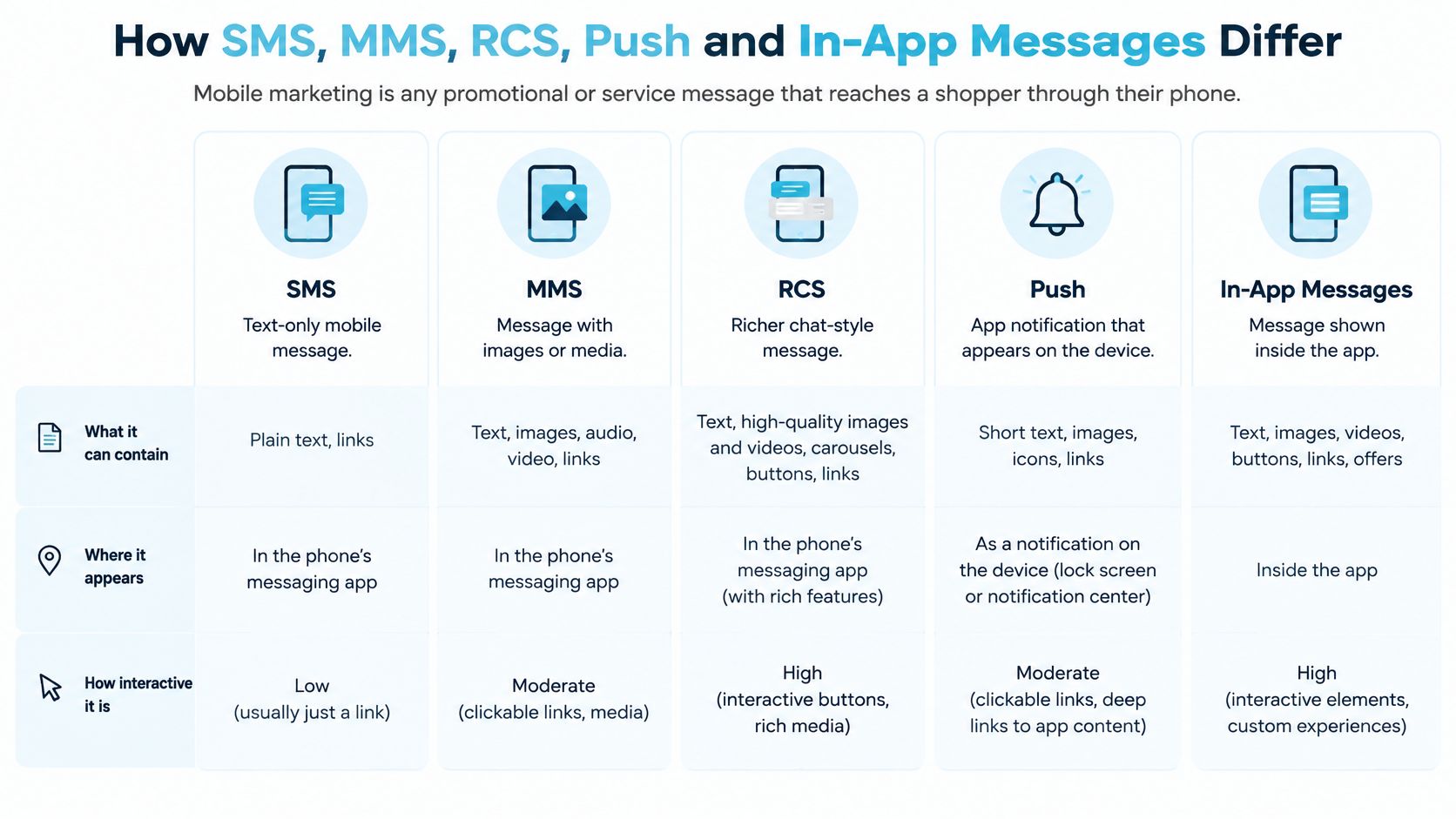
Before scheduling a message, ask three things: What must it contain? Who can receive it? What happens to shoppers who can’t receive it? If the third answer is “nothing,” the campaign has a reach gap. Decide on a useful fallback before launch.
How the Channels Work Together in One Journey
Treat channels as layers, not as competing copies of the same campaign. The operational challenge is the handoff: a shopper should receive one clear offer, not four reminders because the store connected four platforms.
Say a Shopify store is announcing a product drop. An app user can receive a push notification, an SMS subscriber without app access can get a text link, and a shopper on a compatible device can receive an RCS message with a product card. Email should serve as the fallback for shoppers without SMS consent, carrying the same offer rather than a louder one. Teams coordinating social campaigns alongside these touchpoints may also find a practical guide to social media automation useful.
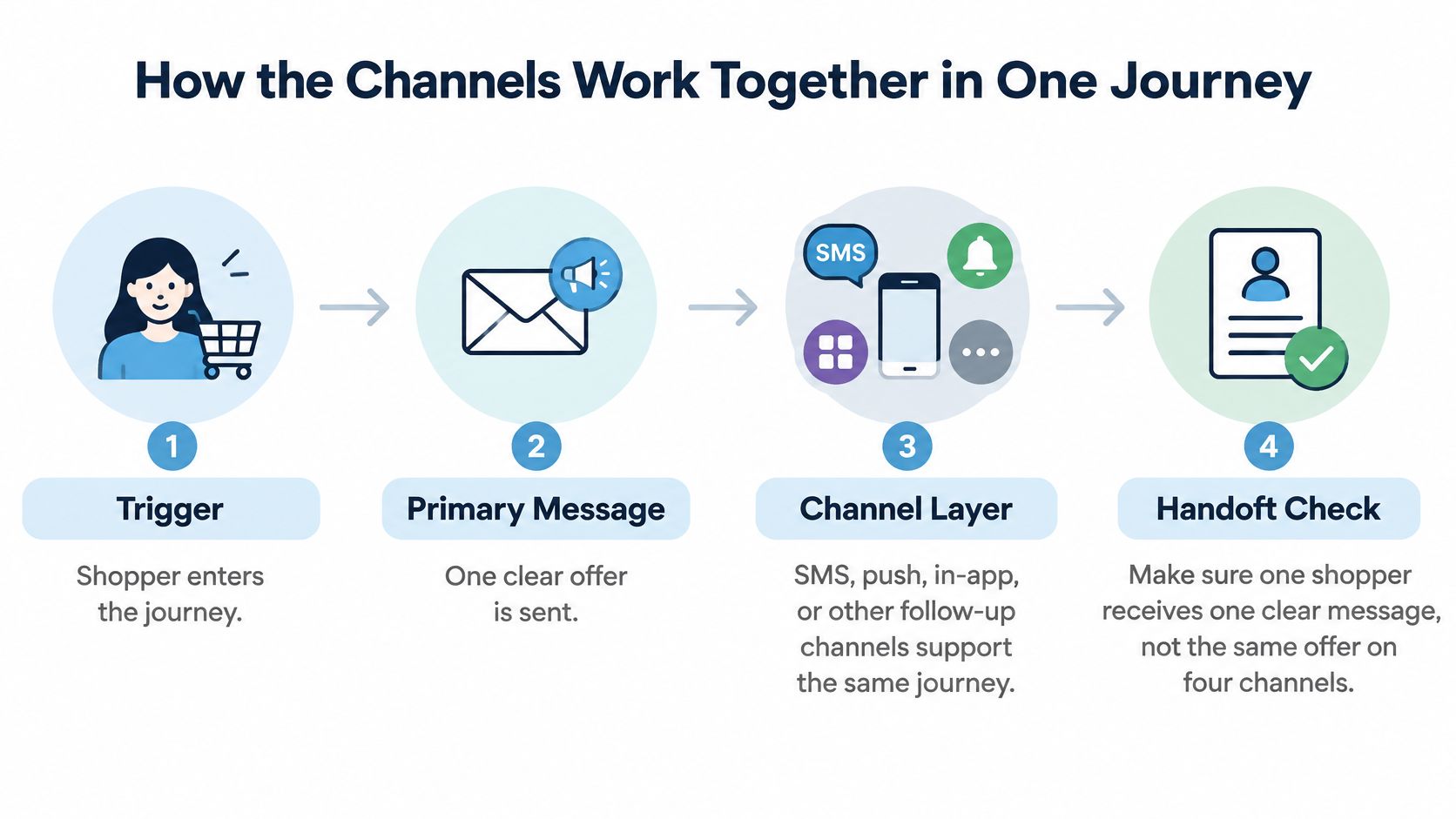
Use a clear channel-choice rule, then build the journey around one offer and one stop point:
- Identify opted-in channels and the latest interaction. A recent product view or app session can help determine which message is useful now.
- Choose the richest supported channel when it reduces friction. RCS can help shoppers understand a product when a card or button improves the presentation.
- Fall back to SMS when rich content can’t render. That preserves a plain-text route to the offer instead of excluding the shopper.
- Suppress the remaining sends after a claim or purchase. Once the shopper has acted, additional promotional reminders add noise and may give away margin without creating another sale.
In 2025, 83.2% of business text messages were read within 30 minutes, according to Text Request’s State of Business Texting Report. That makes SMS a reasonable candidate for a time-bound message, but the figure describes business texting generally. It doesn’t guarantee that a particular store’s message will be read or acted on.
Reported RCS tests found up to 58% higher visit rates, 52% more orders, and 74% more revenue in compatible-device tests, as described by Braze’s RCS support announcement. Those results apply to the compatible-device segment, not an entire SMS list. Keep RCS and SMS in separate test cells, then compare revenue per eligible recipient within each segment. Raw totals favor whichever channel has the largest audience, not necessarily the one doing the better job. A disciplined handoff also protects margin: the same offer repeatedly arriving on several channels can teach shoppers to wait for another discount. For the broader operating model, see this guide to omnichannel versus multichannel marketing.
Consent Rules That Shape Every SMS Program
For US marketing texts, the signup experience is part of the compliance system, not just a phone-number field. The TCPA generally requires a shopper’s prior express consent for marketing texts. Name the seller in the disclosure, explain that the shopper is agreeing to receive marketing messages, and have counsel review the wording against current FCC rules. Consent language should make clear which brand will send messages and what kind of marketing to expect.
That matters across Shopify signup surfaces. A popup, checkout opt-in, lead page, or co-marketing banner can collect a number, but a single broad authorization should not blur which business the shopper is agreeing to hear from. Separate consent for unrelated sellers, and make the signup action clear. A fast-growing list is worth little if shoppers don’t recognize the sender or feel misled by the messages.
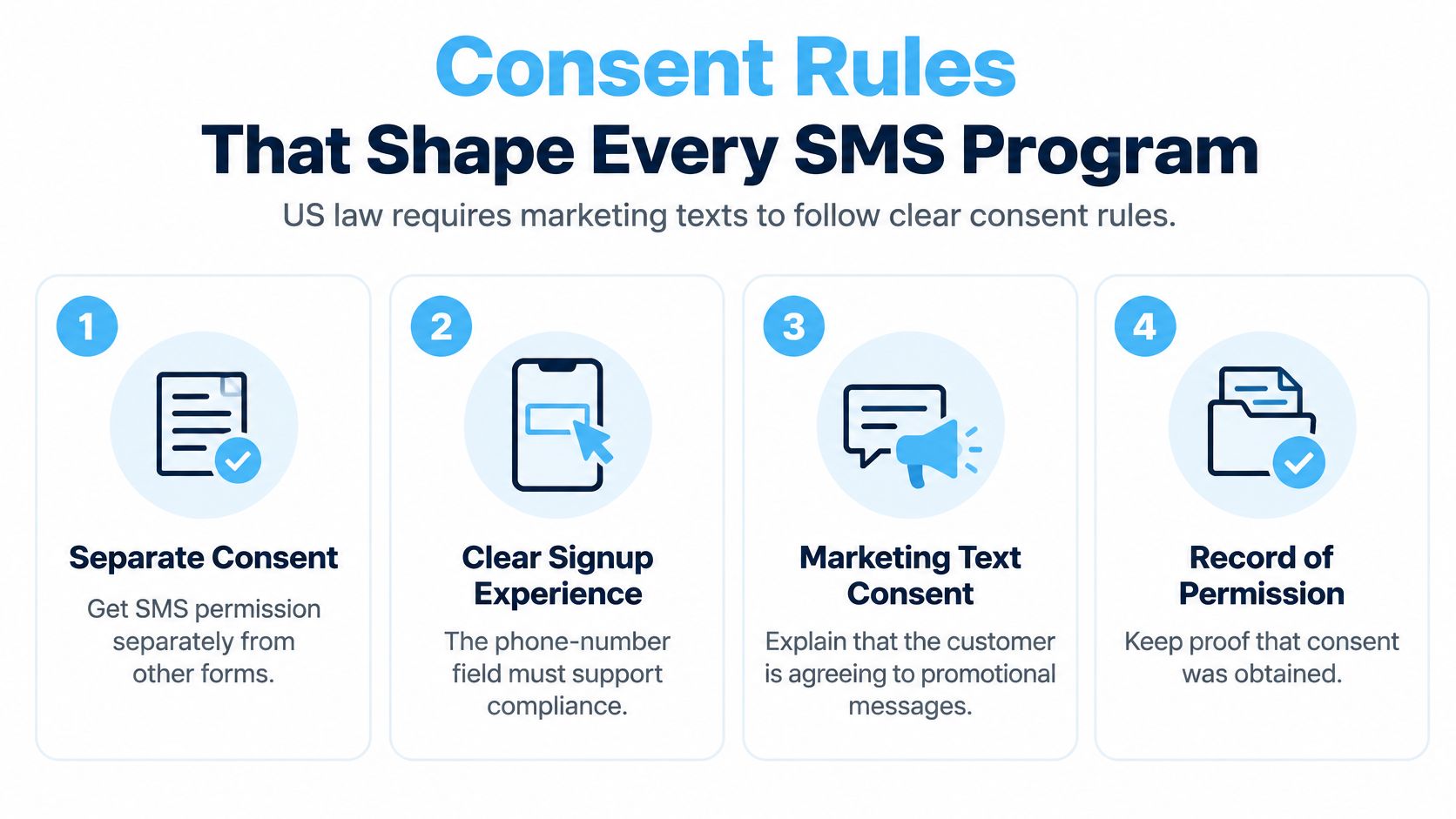
Audit every signup surface against this checklist:
- Name the brand. State which business will send the texts.
- Describe the messages. Say that the shopper is signing up for marketing texts, and make the expected type of communication understandable.
- Separate unrelated sellers. Don’t bundle a partner or another business into the same authorization.
- Use a clear opt-in action. Ask the shopper to take an affirmative action rather than relying on a pre-ticked box.
- Keep a consent record. Store when and where permission was collected, along with the disclosure shown.
Tie each message back to the form or interaction that collected permission. That record helps the team assess whether a campaign fits the context in which the shopper signed up. If the source or wording is unclear, the team cannot confidently judge whether a message matches what the shopper agreed to receive. That uncertainty can cost trust as well as create compliance risk.
Have counsel review the signup language, especially when your list includes customers across multiple states or countries. A clear, seller-specific opt-in sets expectations before the first promotion, helping urgency work without training shoppers to distrust the channel.
Use Cases Merchants Run on Each Channel
The right channel depends on the message and its trigger. This table is a working lookup for common Shopify flows, with the main risk to check before sending.
| Message Type | Primary Channel | Timing | Main Risk |
|---|---|---|---|
| Welcome and signup confirmation | SMS | Within minutes of opt-in | Unclear brand name or missing expectations for frequency |
| Abandoned checkout reminder | SMS or push | One message, a few hours after abandonment | Sent after the order already completed |
| Limited-quantity drop | SMS with RCS fallback | When stock goes live | Stock count or end time isn’t real |
| Back in stock alert | Push or SMS | When the item restocks | Sent to shoppers who never asked about that product |
| Order and shipping updates | SMS | Triggered by fulfillment events | Mixed with promotional content |
| Loyalty or early access | Push or in-app | Before the public launch | Offered to shoppers who have never bought |
| Two-way customer support | SMS | Replies within a stated window | No staffing for inbound replies |
A welcome text should arrive while the shopper remembers signing up. Use it to name the brand and set expectations for what the subscriber will receive. A vague welcome followed by frequent offers teaches the wrong lesson: the shopper gave up a private channel without knowing what would show up in it.
Abandoned-checkout automation needs a reliable purchase check before sending. A reminder that arrives after the order completes makes the store look careless, especially if it promotes a discount the customer no longer needs. Keep the flow focused, and stop it as soon as the order is placed.
A limited-quantity drop can fit SMS when availability is real and the offer’s end time is honest. RCS can add a product card where supported, with SMS serving as the fallback. Scarcity bias can make a genuine constraint more decision-relevant, but a false stock limit risks trust once shoppers notice the claim doesn’t match what’s available.
In EZ Texting’s 2025 Consumer Texting Behavior Report, 79% of consumers said they were more likely to purchase after subscribing to business texts. That’s survey-reported intention, not a measured lift for an individual store, so use it to justify testing the channel, not to forecast revenue.
Keep service communication distinct from promotion. Order and shipping messages should be triggered by fulfillment events, while promotional consent and content should be managed separately. After fulfillment, merchants can use a dedicated process for automated review requests, rather than slipping a review ask into an unrelated sales text.
Frequency Limits That Keep Urgency Credible
The assumption that more texts produce more sales breaks down when shoppers stop treating each message as useful. Frequent discounts can train customers to wait, making each new offer less persuasive while putting more pressure on margin and brand value.
Urgency remains relevant when the offer has a real-time or quantity limit. A limited drop explains to a shopper why a decision matters now; a vague blast just adds another promotion to the queue. The difference is whether the terms are clear and the shopper can leave easily.
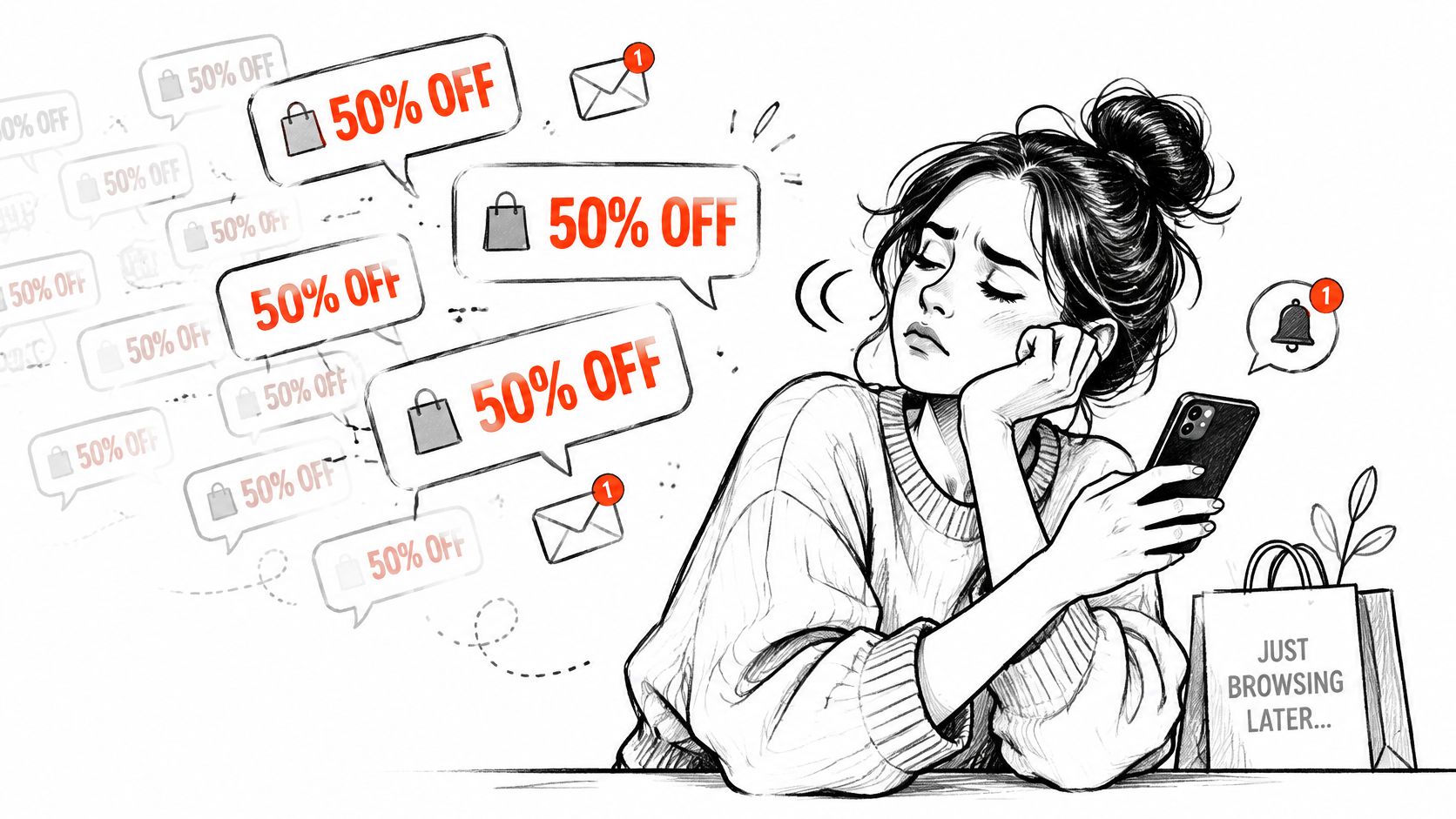
A workable fatigue system needs controls that teams can enforce:
- Set a promotional cap. Choose a weekly limit for marketing sends, and treat it as a program-wide guardrail rather than a target to fill.
- Respect quiet hours. Schedule promotions for appropriate local times instead of sending whenever a campaign is ready.
- Stop after purchase. Suppress a shopper from the offer flow once they’ve bought or claimed the promotion.
- Separate preferences. Let subscribers distinguish limited drops from general brand news, so opting into one doesn’t mean receiving everything.
- Pause inactive subscribers. Stop promotional sends after a defined period without engagement, then invite the shopper to opt back in through an appropriate channel.
An opt-out must work even when a subscriber doesn’t use a single exact keyword. The FCC’s opt-out guidance recognizes clear requests made through reasonable methods, including replies such as “STOP,” “QUIT,” “END,” “REVOKE,” “OPT OUT,” “CANCEL,” and “UNSUBSCRIBE.” The FCC treats texts as calls under the TCPA’s consent and opt-out framework. Monitor inbound replies, suppress future marketing across the relevant program, and send only a non-promotional confirmation when acknowledging an opt-out.
Practical rule: One genuinely limited drop to engaged subscribers is more credible than daily reminders to everyone. The first message earns attention by being relevant. The second pattern burns it by making every offer feel routine.
Measurement That Shows Real Lift and Margin
Open and click rates tell you whether a message drew attention. They don’t establish that it caused an order, improved profit, or brought a future purchase forward. Use them to diagnose a send, not to declare a campaign successful.
A holdout test gives you a cleaner read. Randomly keep a slice of eligible shoppers from receiving the message, then compare their orders and revenue with the exposed group. The gap is a better estimate of incremental effect than attributing every purchase after a click to the campaign.
| Metric | What It Tells You | What It Can Hide |
|---|---|---|
| Open and click rate | Attention to the message | Whether an order or margin resulted |
| Incremental conversion (holdout) | Orders caused by the message | Needs a clean holdout group to read |
| Revenue per eligible recipient | Value across the full audience | Eligibility differs by channel and device |
| Unsubscribe rate by campaign type | Cost of fatigue for each message type | Can lag behind the send |
| Margin after discount | Real profit from each send | Hidden when only revenue is reported |
| Repeat purchase rate at 60 days | Long-term value of the audience | Needs a long enough lag window to read |
Channel eligibility isn’t equal. Compare revenue per eligible recipient inside each audience, rather than stacking raw totals from RCS, SMS, push, and email. Also report margin after the discount: a campaign can increase orders and still reduce profit if it relies on a deeper markdown.
Start with one flow and run it against a holdout for a defined test period. Review sends and unsubscribes weekly, then assess repeat purchases and margin over a longer window. For a practical testing framework, use this guide to incrementality testing.
Confirm One Flow Before You Add Another
Before adding channels or automations, audit what’s already live:
- List every active SMS, MMS, push, and in-app flow. Record each trigger and offer, including messages owned by separate Shopify apps or integrations.
- Mark discount use. Calculate margin after discount for the recent operating period, so the team can see which flows depend most on markdowns.
- Test opt-out end to end. Reply with natural language such as “please stop,” then confirm suppression applies across the program.
- Add a holdout to one flow. Compare revenue per eligible recipient between exposed and unexposed shoppers.
- Pause one repetitive blanket send. If it has no meaningful limit or event trigger, stop it and see whether a more specific message can do the job.
For time-bound or quantity-bound promotions, Quikly turns existing offers into experiences shoppers can claim before a real limit is reached, across a store’s storefront, email, social, and SMS. That gives a merchant another way to motivate action without relying on a repeated markdown or a countdown that doesn’t reflect actual availability.
Carry one question into the next campaign review: Which message would a shopper still want if no discount existed?
Quikly helps Shopify brands run time- and quantity-bound promotions across their storefront, email, social, and SMS, with offers styled to match the store. If you’re auditing mobile campaigns for trust and margin, visit Quikly to see how a real limit can give shoppers a reason to act without making every message another blanket discount.
Topics: mobile marketing, SMS marketing, RCS messaging, Shopify SMS, SMS consent