Holiday inboxes get crowded fast, and the most repeated advice usually makes the problem worse. If every brand sends another festive banner, another sitewide code, and another countdown to midnight, shoppers learn the pattern. They wait. Margins get squeezed, open rates soften, and the next campaign needs even more discount to feel different.
That’s why the best holiday newsletters examples aren’t just pretty emails. They show structure. They show how a brand frames urgency, sequences sends around shipping cutoffs, builds a gift guide for a specific buyer, or makes early access feel earned instead of generic. That matters in a season where Christmas and holiday campaigns commonly land around 16% to 22% open rates, with stronger campaigns reaching 25%+ and excellent ones 32%+, while inbox competition stays intense.
The seven resources below are useful in a practical order. Start with galleries that show real creative in market, move into archives that reveal cadence and timing, then use builder and QA tools to turn inspiration into a campaign your Shopify team can ship. The thread running through all of them is simple. Use holiday inspiration to create action, not to train customers to hold out for the next markdown.
1. Really Good Emails
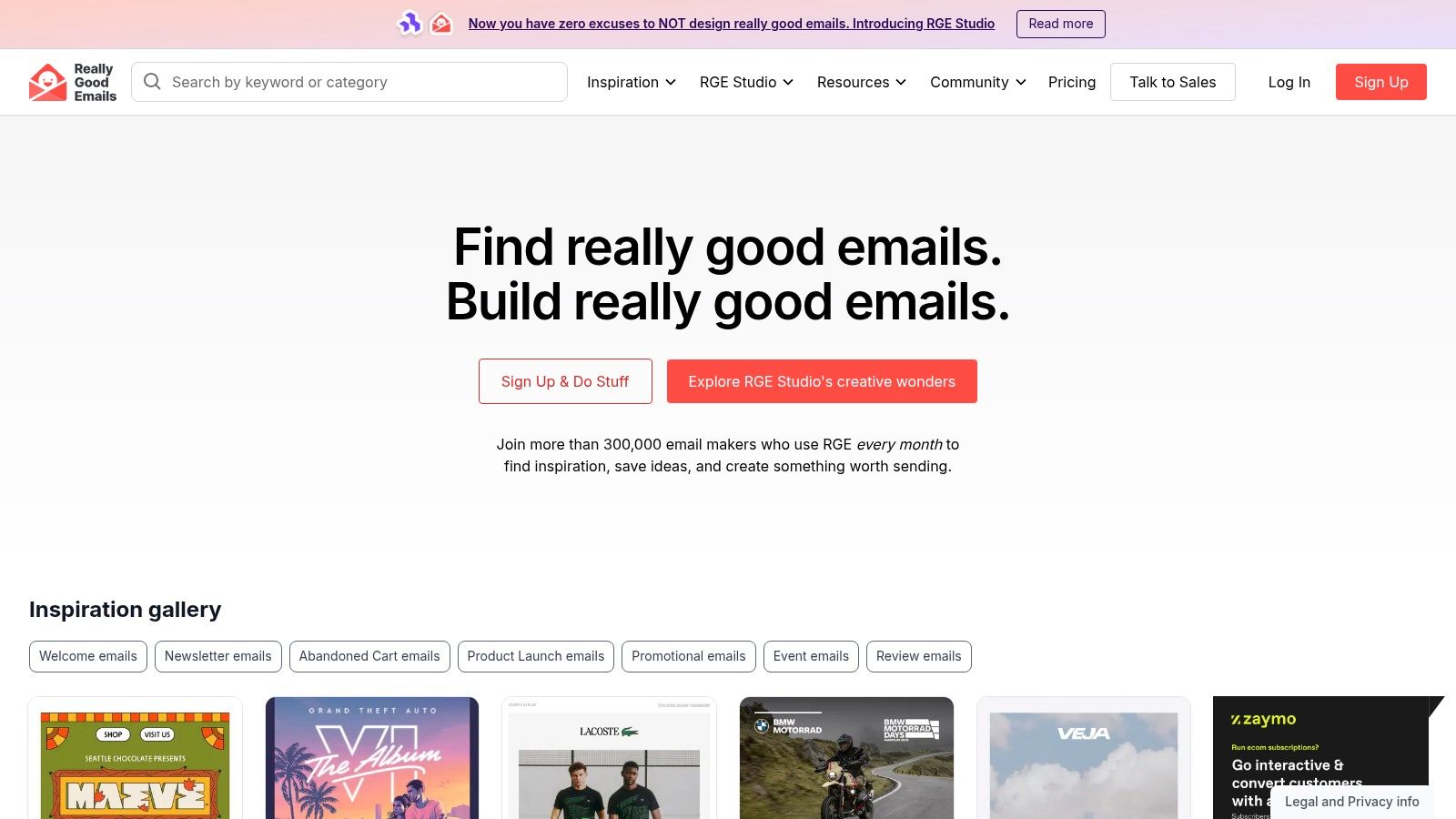
Really Good Emails is the fastest way to get unstuck when a Shopify team knows it needs a holiday campaign, but has not decided what kind. That distinction matters. A VIP early-access send, a gift guide, and a last-shipping-day email can all look festive while doing completely different jobs.
The value here is pattern recognition under real campaign pressure. Really Good Emails lets you sort through Black Friday, Cyber Monday, gifting, and seasonal sends, then compare how brands frame the offer, pace urgency, and structure the first screen. That helps a team make an actual decision. Push a broad discount, feature a curated bundle, lead with a shipping cutoff, or hold margin and reward a smaller VIP segment instead.
Best for choosing the right holiday email type
Use this gallery to answer practical questions before design starts:
- Offer framing: Does this moment call for a straight discount, a gift-with-purchase, or early access that protects margin?
- Layout choice: Is one hero product enough, or does the campaign need a gift grid, category blocks, or a deadline module above the fold?
- Urgency source: Should pressure come from inventory, calendar timing, shipping windows, or tiered access by segment?
Its editorial notes save time. A swipe file shows what exists. Commentary helps explain why one email reads clearly and another turns into visual noise.
A useful rule applies here. Borrow the campaign logic, not the surface treatment.
That usually means tracing the decision behind the creative. If a brand leads with a sparse hero and one CTA, ask whether the goal is speed to purchase. If another uses a dense product grid, check whether the message is discovery for gift buyers who do not know what to pick yet. Those are different plays, and copying the wrong one is how teams end up sending polished emails that do not match buyer intent.
Really Good Emails is also a good place to pressure-test subject line direction before copy gets locked. For teams refining angle before mockups, this guide to newsletter email subject lines is a useful companion.
RGE Studio may appeal to teams that want creation tools in the same ecosystem, but the core use case here is simpler. The free gallery is strong enough for finding proven holiday patterns, then adapting them into timely promotions that create action without teaching customers to wait for the next price drop.
2. Email Love
Email Love helps with a different Q4 decision than a typical swipe gallery. Use it when the question is not “What should this one email look like?” but “What should this customer see next?”
That distinction matters in holiday planning. A single polished send can still fail if the follow-up cadence is sloppy, the offer escalates too fast, or the backup path for non-buyers never appears. Shopify teams usually feel that problem in the second week of a promo window, when the first campaign performed well enough to justify more volume but not well enough to justify another blanket discount.
Email Love is useful because it preserves the sequence. You can review campaign families, check mobile and dark mode previews, and sometimes inspect the HTML. That gives the team more than design inspiration. It gives a practical way to judge whether a brand is running a controlled promotion or just repeating itself with new subject lines.
A few decisions it helps clarify:
- Cadence planning: How many touches does a holiday push need before it starts feeling desperate?
- Offer progression: Does the brand hold the same incentive across the window, or add urgency through timing, access, and gift utility before cutting price further?
- Segment logic: Are VIPs getting early entry, curated bundles, or faster deadline reminders while the broader list gets a simpler path?
- Fallback strategy: What replaces the standard gift push once shipping confidence drops? Digital gift cards, store pickup, or a “still arrives in time” collection?
The value is less about copying a nice layout and more about seeing the operating logic behind the sequence. One brand may open with a gift guide, split into recipient-based follow-ups, then shift to shipping cutoffs. Another may run early access for repeat buyers, then widen the audience only after the first wave converts. Those are different margin decisions. They also create different expectations for the next send.
Email Love does have limits. It rarely shows performance, so a campaign can look disciplined and still underperform. It also favors brands with cleaner creative teams, which can skew your read if your actual question is what average competitors are blasting during peak week.
Still, for teams building a holiday calendar inside Shopify and Klaviyo, it is one of the better places to study sequence design before production starts. The practical takeaway is simple. Adapt the flow, not just the visuals. A good holiday series should create momentum, protect margin where possible, and give each segment a reason to act now instead of waiting for the next markdown.
3. Milled
Milled is the inbox reality check. Holiday galleries can overrepresent polished creative. Milled shows what brands sent, often in full sequence, including the second reminder, the shipping cutoff pivot, and the predictable “extended for 24 hours” follow-up that starts to erode trust.
That makes it useful for a different decision than the last two resources. Use it when the question is operational. How many times can this offer go out before it feels desperate? When do competitors switch from gift inspiration to deadline pressure? Which brands protect margin with bundles, thresholds, or category offers, and which ones train customers to wait for the final markdown?
What Milled helps you decide
Start with a narrow search. Pull up five adjacent Shopify brands and read one week of sends in order. Patterns show up fast.
- Cadence: You can see whether your category is sending three times in a key week or closer to daily. That helps set a frequency ceiling before list fatigue becomes a self-inflicted problem.
- Offer progression: Watch how brands move from early access to shipping urgency to post-cutoff alternatives like gift cards or buy online, pick up in store.
- Creative reuse: Repeated campaigns reveal whether a team can refresh the same message with a new angle, or whether the subject lines and hero blocks are already wearing out.
- Promo discipline: The archive makes it easy to spot who widened a discount too early and who held price while changing the reason to buy now.
One practical use is subject line pressure-testing. Search terms like “last chance,” “gift guide,” “ends tonight,” or “extended” across a category, then compare the sequence around them. You are not looking for the cleverest line. You are checking how often that line appears, what send it usually belongs to, and whether it signals a real deadline or another round of the same sale.
Milled has limits. It does not tell you revenue, deliverability, or segment splits. A competitor may look aggressive in the archive while sending those emails to a narrower audience than your full list. That trade-off matters, especially in Q4, when copying blanket volume can hurt margin and inbox placement faster than it helps sales.
For a Shopify team planning holiday promos, Milled is strongest after the broad campaign idea is set. It helps tighten cadence, choose where urgency should escalate, and avoid the lazy pattern of answering every slowdown with a deeper discount.
4. Litmus
Pretty holiday emails fail in boring ways. A gift guide breaks in dark mode. A countdown banner hides the CTA on mobile. A dynamic block pulls an empty slot for a low-data segment. Litmus is useful for catching those issues before a high-stakes send goes out.
That makes it a decision tool, not just a gallery. Shopify teams can use Litmus to answer a specific question. Is this campaign ready for full-list volume, or does the build still carry enough risk that it should stay narrow until QA is clean?
Holiday sends usually add complexity fast. More product cards, more conditional content, more visual treatment, more deadline messaging. Every extra module raises the chance that one audience sees a broken version of the email, and Q4 is a bad time to learn that after the fact.
A practical Litmus pass should check the weak points first:
- Dynamic content for sparse profiles and edge-case segments
- Dark mode treatment for logos, headlines, and buttons
- Mobile stacking on gift grids, bundles, and multi-CTA layouts
- Accessibility issues like low contrast, tiny type, and image-heavy sections with weak live text
I also like Litmus for layout decisions. Some holiday newsletter examples look strong as flat creative but become fragile once a team adds real merchandising logic. A simple single-offer build often survives inbox variation better than a dense department-store style layout. That trade-off matters if the goal is timely action, not just a prettier email.
One caution. Litmus can help validate rendering and QA discipline, but it does not tell you whether the offer strategy is sound. A flawless email can still train customers to wait for the next markdown if the promo ladder is sloppy. Use it after the campaign plan is set, to confirm the message will arrive readable, clickable, and intact.
5. Klaviyo
Klaviyo’s Christmas email templates help with a more useful Q4 decision than “which holiday design looks good?” They help a Shopify team decide who should see the campaign first, who should get a different version, and where a full-list send would waste margin.
That matters because holiday inspiration breaks down at execution. A gift guide that works for a first-time subscriber can feel generic to a repeat buyer. A sitewide discount that gets broad clicks can also train high-intent shoppers to hold out for the next markdown. Klaviyo is strongest when the team already knows the commercial goal and needs to map that goal to segments, timing, and message variants inside the actual send platform.
I use Klaviyo less as a gallery and more as a campaign builder with guardrails.
For holiday newsletters, the practical move is usually to split the send by buying context before touching the creative:
- New subscribers get lower-friction entry offers, gifting help, or price-point discovery.
- Repeat buyers get product pairings, replenishment timing, or category-specific picks based on prior orders.
- VIPs get early access, limited bundles, or stronger inventory urgency before the broader list sees the same products.
- Last-minute shoppers get shipping cutoff language, digital options, or pickup messaging if the brand can support it.
That segmentation work changes the creative decision. A blanket “20% off everything” email needs almost no logic, but it costs more margin and teaches customers what to wait for. A tighter Klaviyo build can hold the headline offer steady while changing product blocks, urgency, and CTA framing by audience. That usually produces a cleaner promo ladder through peak season.
If the team needs help tightening those message variants, this guide on how to write a newsletter is a useful companion.
The trade-off is straightforward. Klaviyo is most useful for operators already running their Shopify retention program there. The closer the template sits to your real segments, product feed, and automation rules, the faster the campaign gets from concept to send. If the team wants channel-agnostic inspiration or broad competitive research, other resources in this list do that better.
6. Campaign Monitor
Campaign Monitor’s holiday templates help with a narrower decision than some of the other resources on this list. They are useful when the offer is already set, the send date is close, and the team needs a layout that can go live fast without looking rushed.
That makes Campaign Monitor a production tool first.
For a Shopify team in Q4, the practical question is usually not “Do we have enough ideas?” It is “Can we turn this campaign into a clean email before the promo window closes?” Campaign Monitor is strong for that part of the job. The template library gives the team starting points for gift guides, holiday storytelling, and cause-based campaigns without forcing a blank-page design exercise.
A few campaign types fit especially well here:
- Gift guide sends with clear category blocks, price anchors, or recipient-based navigation
- Founder note or year-in-review emails that need more editorial structure than a standard sales blast
- Giving Tuesday and donation-led campaigns where the page needs room for context, proof, and a focused CTA
The upside is speed. The risk is also speed.
Teams under pressure often ship the first decent-looking draft and skip the harder checks. A polished template does not fix a weak merch mix, a vague reason to buy now, or a discount that cuts margin without changing behavior. If the campaign is broad, Campaign Monitor can support that. It will not tell you whether the broad approach is a bad call.
I use this kind of template library to make layout decisions, not strategy decisions. If the campaign goal is to move giftable inventory before a shipping cutoff, the right move might be a simple grid with fast-scanning price bands and one primary CTA. If the goal is to protect margin, the better move might be a value-led bundle story instead of another sitewide percentage-off headline. For a quick check before launch, Quikly’s guide to email best practices is a useful companion.
The trade-off is straightforward. Campaign Monitor helps teams get from approved concept to send with less production drag. It is less useful for creative research, segmentation planning, or deliverability validation. If the main bottleneck is design assembly under deadline, it earns a place in the stack.
7. Stripo
Stripo earns its place if the decision is not “which holiday email looks good?” but “how do we keep one campaign system usable across brands, ESPs, and approval chains?” That is a common Shopify problem once the holiday calendar fills up and every team wants a version for BFCM, gifting, shipping cutoffs, and post-holiday clearance.
The value is control. Stripo gives teams a way to build modular creative once, then export it where it needs to go. That matters for operators managing more than one storefront, working with freelancers or agencies, or separating design from send execution.
A practical use case helps here. Say the core offer stays the same, but the audience changes:
- VIPs get early access with a margin-protective bundle
- Gift shoppers get a deadline-led version with shipping reassurance
- Lapsed buyers get a simpler reactivation angle with a narrower product set
Stripo helps the team keep the same layout logic across those sends while swapping sections, CTAs, and merch blocks fast. That is more useful than generic inspiration if the goal is disciplined variation instead of blasting one template to everyone.
The risk is obvious. Flexible production can inflate cadence. Teams start making extra versions because they can, not because the segment or timing justifies it. That is how brands drift into promo fatigue and train subscribers to wait for the next inbox nudge.
I use Stripo more as a production system than a strategy source. It helps answer layout and workflow questions: Which modules should stay fixed? Which blocks should change by segment? How much of the email needs to be localized, brand-swapped, or rebuilt for another ESP? It does not answer the harder commercial question of whether the campaign deserves to go out at all.
That distinction matters during the holidays. A reusable template system is strongest when the offer strategy is already clear and the team needs controlled execution without rebuilding every send from scratch.
7-Site Holiday Newsletter Comparison
| Tool | Implementation complexity | Resource requirements | Expected outcomes | Ideal use cases | Key advantages |
|---|---|---|---|---|---|
| Really Good Emails | Low for browsing, Medium for RGE Studio | Minimal to access gallery; paid Studio for builder | High-quality inspiration and copy patterns | Creative reference for holiday urgency/scarcity tactics | Massive curated gallery, editorial insights |
| Email Love | Low | Minimal for browsing; paid for full exports/analytics | Precise examples and mobile/dark-mode previews | Benchmarking campaign journeys and designs | Powerful search, journey collections, HTML export |
| Milled | Low | Minimal; Milled Pro for team features | Real send timing, subject-line and cadence examples | Researching live holiday sends and timing | Broad archive of real-world retail emails |
| Litmus | Medium | Requires paid plan for full testing features | Better deliverability, rendering, accessibility | QA and pre-send testing during high-volume periods | Strong testing tools, accessibility guidance |
| Klaviyo | Medium-High | Requires account; pricing scales with contacts | Ready-to-send ecommerce templates and playbooks | DTC/Shopify merchants building urgency-led campaigns | Shopify alignment, ecommerce playbooks, segmentation |
| Campaign Monitor | Medium | Platform account for editing and sending | Fast mobile-responsive holiday campaigns | Small teams needing quick grab-and-go holiday sends | Wide holiday template catalog, drag-and-drop editor |
| Stripo | Low-Medium | Free tier with export limits; paid for higher capacity | ESP-agnostic editable templates ready for export | Teams reusing templates across multiple ESPs | Direct export to major ESPs, editable blocks |
Turn Holiday Inspiration Into Timely Action
Holiday newsletters examples are useful when you pick them by decision, not by aesthetics. Use galleries like Really Good Emails and Email Love to find creative patterns. Use Milled to study cadence in the wild. Use Litmus when rendering, accessibility, and inbox readiness matter more than another festive header. Use Klaviyo, Campaign Monitor, or Stripo based on how your Shopify team builds and ships campaigns.
The work starts after inspiration. Adapt the subject line to the audience’s intent. Adapt the layout to the message. Adapt the offer structure to your margins. A shipping cutoff email, a VIP early-access drop, and a last-minute gift guide shouldn’t share the same urgency language just because they all happen in December.
Before launch, check the parts that ruin holiday sends. Review mobile rendering, accessibility contrast, image-to-text balance, and deliverability basics. Then test how the email connects to the actual Shopify experience; cart discounts, auto-applied offers, inventory messaging, and fulfillment promises all need to hold together. An elegant email that hands shoppers a confusing cart is still a bad campaign.
It also helps to separate urgency from discounting. Urgency should give a high-intent shopper a clear reason to act now. It shouldn’t teach the whole list that waiting earns a better deal. Controlled or earned incentives usually protect perceived value better than repeating deeper blanket discounts, especially when your brand already feels promo-heavy in Q4.
That same logic should shape your broader creative workflow too. If your holiday campaigns span email, paid social, and onsite promotion, your team needs consistent offer logic across channels. The MerchLoom ad creative workflow is a useful reference point for tightening that process.
For teams trying to create action without flattening margin, Quikly is one practical option. Its approach uses time-bound or quantity-bound rewards so shoppers who act early get the advantage, which gives holiday campaigns urgency without defaulting to another predictable sitewide markdown.
Quikly helps Shopify brands turn holiday email ideas into urgency-driven promotions that feel controlled instead of overly discounted. If you want your next holiday campaign to create action without training shoppers to wait for a bigger markdown, take a look at Quikly.
Topics: holiday newsletters examples, holiday email marketing, Shopify email marketing, ecommerce newsletters, holiday email templates